
Your inventory, even offline.
ReadyRuck stores your saved inventory on your device, so you can view it in the app without an internet connection. Optional iCloud syncing needs a connection; browser access is online-only.
 ReadyRuckPreparedness, simplified.
FOR IPHONE & IPAD
Know what you have, where it’s stored, and what needs attention.
Keep your supplies organized—from everyday essentials to emergency kits. Your inventory is saved on your device, ready to view without internet.
Current App Store version: iPhone and iPad. Start with Essentials, our free plan.
ReadyRuck 4 is coming soon.iPhone · iPad · Mac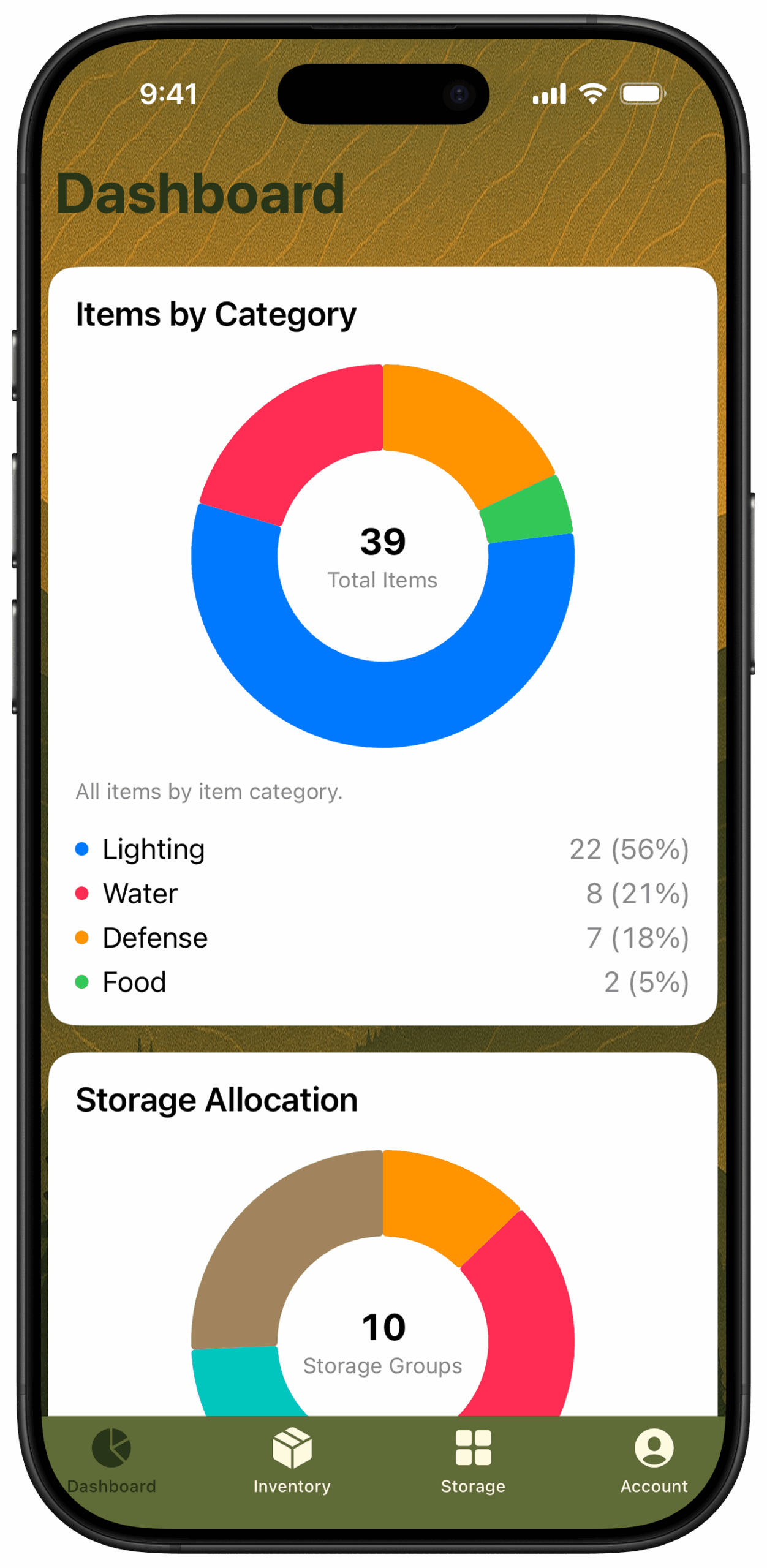
LESS GUESSWORK. MORE CLARITY.
ReadyRuck stores your saved inventory on your device, so you can view it in the app without an internet connection. Optional iCloud syncing needs a connection; browser access is online-only.
Organize supplies across storage locations, go-bags, crates, and kits.
Track expiration dates and review your preparedness dashboard.
MADE FOR YOUR REAL-WORLD SETUP
A practical way to keep track of the supplies you rely on.
Keep names, quantities, photos, and expiration details together. Find what you need without rebuilding a spreadsheet.
See where supplies are allocated and organize your setup around the places you actually store them.
Review inventory categories, storage allocation, and preparedness information from your dashboard.
COMING WITH READYRUCK 4
ReadyRuck 4 is coming to iPhone, iPad and Mac, with optional encrypted iCloud syncing on every plan. Keep your inventory available across your devices using the same Apple Account for iCloud.
Browser inventory and storage management is also coming with ReadyRuck 4 for active Pathfinder and Survivor subscribers, with approval in the native app.
How it worksONE APP. THREE WAYS TO GET READY.
A place to start.
No subscription required.
Room for a growing setup.
USD / month, or $49.99 / year.
For the complete collection.
USD / year.
A FEW THINGS TO KNOW
Yes. Essentials includes up to 10 inventory items and 5 storage locations, with the Ruck storage type.
ReadyRuck stores your saved inventory on your device, so you can view it in the app without an internet connection. The current app is for iPhone and iPad; ReadyRuck 4 is coming to iPhone, iPad and Mac. Optional iCloud syncing needs a connection; browser access is online-only.
Supported ReadyRuck versions can sync a selected inventory through your private iCloud storage. ReadyRuck 3.3 requires an eligible paid plan for ongoing sync. Optional encrypted iCloud syncing across iPhone, iPad and Mac is coming on every plan with ReadyRuck 4.
Browser access is coming with ReadyRuck 4. It will require an active Pathfinder or Survivor subscription, the same iCloud account, and approval in the app. Start on iPhone or iPad.
Visit our support page for setup guidance, release notes, and a way to contact us.
A GOOD PLACE TO START